Find Communications in the Client Record
Review portal messages, requests, questionnaire responses, and selected Outlook emails saved to the client record.
FEATURES CLIENT COMMUNICATIONS
Find client communications and see who is assigned to follow up. Themis brings portal messages, document requests, questionnaires, uploads, reminders, and saved Outlook emails together in one centralized client history. Themis can notify the assigned staff member when a client responds.
Book a DemoReview portal messages, requests, questionnaire responses, and selected Outlook emails saved to the client record.
Themis can notify the assigned staff member when a client responds. Your team can reassign the conversation when needed.
Assign and reassign conversations, track outstanding requests, and see which items need attention to keep your team coordinated.
HOW IT WORKS
Messages, documents, and staff responsibilities stay connected to the client's tax preparation workflow.
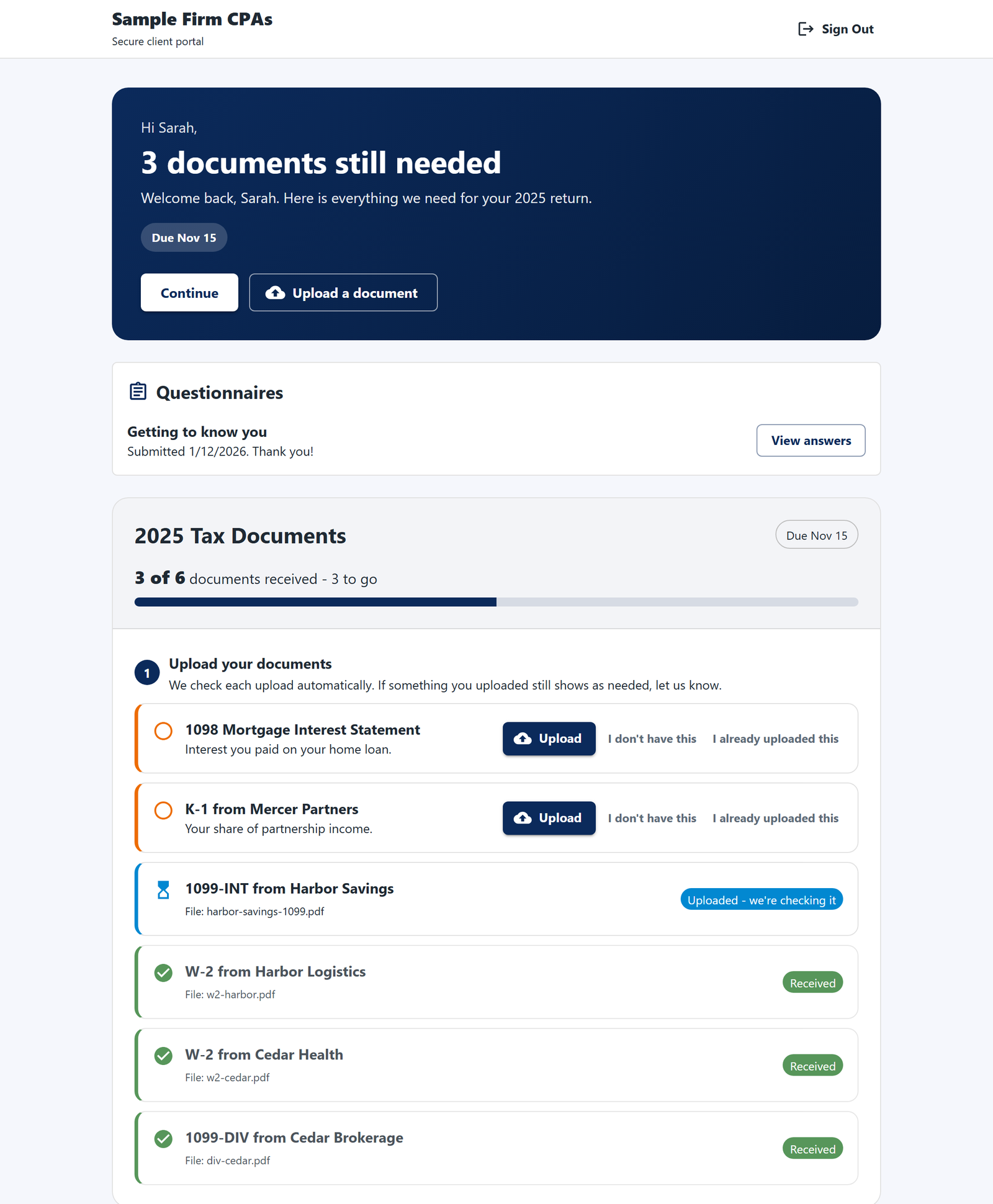
Send secure portal messages, document requests, questionnaires, and files from the client's record using firm templates.
Messages, reminders, uploads, questionnaire responses, and saved Outlook correspondence become part of the client's history.
Themis can notify the assigned staff member when a client responds. Reassign conversations when needed.
View unread messages and outstanding requests, then filter by client, engagement, communication type, or assignee.
IN THEMIS Communications → Communications Hub, or Client Record → Communications
WHAT'S INCLUDED
Your team sees the same communication history, knows who's handling each item, and can respond without losing context.
Portal messages, questionnaires, document requests, reminders, uploads, and saved emails organized chronologically.
See communications across all clients. Filter by client, engagement, message type, or assigned staff member.
Direct incoming client responses to the responsible team member and reassign work as needed.
Exchange secure messages and files with clients, with each conversation kept in its own thread.
Use the optional Themis Outlook add-in to save selected emails and attachments to the appropriate client record.
Review unread messages and outstanding requests in the Communications Hub.
Less searching. Fewer missed messages. One connected communication workflow.
FREQUENTLY ASKED QUESTIONS
Themis can notify the assigned staff member or the team member responsible for the client. Authorized team members can reassign communications when responsibilities change.
Your Microsoft 365 administrator can deploy the Themis Outlook add-in to authorized staff. Individual installation may be available where your firm's Microsoft 365 policies permit it.
No. The add-in is designed to save messages staff explicitly select, together with their attachments; it does not automatically import every mailbox message.
No. Clients see portal communications, requests, questionnaires, and documents shared with them. Internal staff assignments, notifications, and saved Outlook correspondence remain within authorized firm access.
SEE IT IN ACTION
See how portal messaging, document requests, Outlook correspondence, notifications, and communication history come together in Themis.